Download Oracle Risk Management Cloud 2023 Implementation Professional.1z0-1058-23.Actual4Test.2026-11-10.21q.vcex
| Vendor: | Oracle |
| Exam Code: | 1z0-1058-23 |
| Exam Name: | Oracle Risk Management Cloud 2023 Implementation Professional |
| Date: | Nov 10, 2026 |
| File Size: | 64 KB |
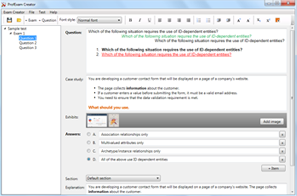
How to open VCEX files?
Files with VCEX extension can be opened by ProfExam Simulator.
Purchase
Coupon: TAURUSSIM_20OFF
Discount: 20%
Demo Questions
Question 1
Which two steps are required to set up two levels of approval for new controls, which are added after the initial import? (Choose two.)
- On the Controls tab of the Import template, set the control state to NEW for each control record.
- Identify the organizations or business units for which users will perform review or approval.
- Identify users who will perform control review and approval.
- Identify the other roles to be provided for control managers.
Correct answer: B, C
Explanation:
* Identify the organizations or business units: This involves determining the specific parts of the organization where the new controls will be applied. It is crucial to understand the scope of the controls within the organizational structure to ensure that the appropriate levels of review and approval are established.* Identify users who will perform control review and approval: After defining the scope, the next step is to specify the individuals who will be responsible for reviewingand approving the controls. This includes assigning users to the roles that will have the authority to review and approve the controls at each required level.References:The information provided is based on the Oracle Risk Management documentation, which outlines the processes for setting up approvals within the system123. These references detail the necessary steps and considerations for managing approvals and ensuring proper control within the Oracle Risk Management framework. * Identify the organizations or business units: This involves determining the specific parts of the organization where the new controls will be applied. It is crucial to understand the scope of the controls within the organizational structure to ensure that the appropriate levels of review and approval are established.
* Identify users who will perform control review and approval: After defining the scope, the next step is to specify the individuals who will be responsible for reviewingand approving the controls. This includes assigning users to the roles that will have the authority to review and approve the controls at each required level.
References:The information provided is based on the Oracle Risk Management documentation, which outlines the processes for setting up approvals within the system123. These references detail the necessary steps and considerations for managing approvals and ensuring proper control within the Oracle Risk Management framework.
Question 2
Your client has three operating units.
What are two ways in which you can exclude an operating unit where there are not enough personnel to allow segregation of duties? (Choose two.)
- In a model, create a new condition logic filter, select the operating unit attribute, select the operating unit value, and then perform an exclusion though the advanced options check box.
- Navigate to the Create Access Global Condition page and create a new condition logic filter, select the operating unit attribute, select the operating unit value, and then perform an exclusion though the advanced options check box.
- Navigate to the Create Access Global Condition page and create a new condition logic filter, select the within same operating unit attribute, select the value yes, and then perform your exclusion though the advanced options check box.
- In a model, create a new condition logic filter, select the within same operating unit attribute, select the value yes, and then perform your exclusion though the advanced options check box.
- In a model, create a new condition logic filter, select the operating unit attribute and select the operating unit value.
Correct answer: A, B
Explanation:
* In a model: You can create a new condition logic filter within a model, select the specific operating unit attribute and its value, and then apply an exclusion through the advanced options checkbox. This method allows you to set up a filter that specifically targets the operating unit you wish to exclude.* Create Access Global Condition page: By navigating to this page, you can create a new condition logic filter, again selecting the operating unit attribute and its value, and perform an exclusion through the advanced options checkbox. This approach is similar to the first but is done through the global condition page, which may offer a broader scope of application.References:The information provided here is based on Oracle's documentation on Risk Management and Compliance, which outlines the procedures for excluding an operating unit in scenarios where there is insufficient personnel to maintain segregation of duties12. For a detailed understanding of these processes, refer to the official Oracle documentation. * In a model: You can create a new condition logic filter within a model, select the specific operating unit attribute and its value, and then apply an exclusion through the advanced options checkbox. This method allows you to set up a filter that specifically targets the operating unit you wish to exclude.
* Create Access Global Condition page: By navigating to this page, you can create a new condition logic filter, again selecting the operating unit attribute and its value, and perform an exclusion through the advanced options checkbox. This approach is similar to the first but is done through the global condition page, which may offer a broader scope of application.
References:The information provided here is based on Oracle's documentation on Risk Management and Compliance, which outlines the procedures for excluding an operating unit in scenarios where there is insufficient personnel to maintain segregation of duties12. For a detailed understanding of these processes, refer to the official Oracle documentation.
Question 3
You are building a transaction model to identify invoices with USD amounts that are greater than the supplier's average invoice amount. The order of the filters is important.
1. Add an "Average" Function filter grouping by "Supplier ID" where "Invoice Amount" is greater than 0.
2. Add a standard filter where "Invoice Currency" equals "USD."
3. Add a standard filter where the delivered "Average Value" attribute is less than "Invoice Amount." What is the correct order of the filters for this transaction model?
- 1, 3, 2
- 1, 2, 3
- 2, 3, 1
- 3, 2, 1
- 2, 1, 3
Correct answer: B
Explanation:
To build a transaction model that identifies invoices with USD amounts greater than the supplier's average invoice amount, the filters must be arranged to first calculate the average invoice amount for each supplier, then select only those invoices in USD, and finally compare the invoice amounts to the average. Here's the correct order:* Add an "Average" Function filter grouping by "Supplier ID" where "Invoice Amount" is greater than0. This will calculate the average invoice amount for each supplier.* Add a standard filter where "Invoice Currency" equals "USD." This will narrow down the invoices to those in USD currency.* Add a standard filter where the delivered "Average Value" attribute is less than "Invoice Amount." This will identify the invoices that are greater than the average amount calculated for each supplier.References:The arrangement of filters is based on the AND relationship processing order as described in the Oracle Risk Management documentation, which specifies that filters at one level are evaluated before those at the level below it1. To build a transaction model that identifies invoices with USD amounts greater than the supplier's average invoice amount, the filters must be arranged to first calculate the average invoice amount for each supplier, then select only those invoices in USD, and finally compare the invoice amounts to the average. Here's the correct order:
* Add an "Average" Function filter grouping by "Supplier ID" where "Invoice Amount" is greater than
0. This will calculate the average invoice amount for each supplier.
* Add a standard filter where "Invoice Currency" equals "USD." This will narrow down the invoices to those in USD currency.
* Add a standard filter where the delivered "Average Value" attribute is less than "Invoice Amount." This will identify the invoices that are greater than the average amount calculated for each supplier.
References:The arrangement of filters is based on the AND relationship processing order as described in the Oracle Risk Management documentation, which specifies that filters at one level are evaluated before those at the level below it1.
Question 4
You have imported risks in Financial Reporting Compliance using data migration. Your client is asking if you can add controls for these risks.
Which two statements are true? (Choose two.)
- To relate controls to risks, the risks must be in "approved" state.
- You cannot use the Data Migration tool to add control records to map to existing risks.
- You can use the Data Migration tool to add control records for the existing risks.
- To relate controls, risks must be assigned to the same perspective that is assigned to the control you want to map it to.
- You can manually add control definitions and relate them to the risks in Financial Reporting Compliance.
Correct answer: A, E
Explanation:
* In Oracle Risk Management Cloud, risks need to be in an "approved" state before you can associate controls with them. This ensures that only vetted and acknowledged risks are managed with corresponding controls.* While the Data Migration tool is typically used for importing data from external sources, it is not designed for mapping controls to risks. Instead, controls are usually added manually within the system.* After controls are defined, they can be related to the approved risks manually, ensuring that each risk is paired with appropriate control measures. * In Oracle Risk Management Cloud, risks need to be in an "approved" state before you can associate controls with them. This ensures that only vetted and acknowledged risks are managed with corresponding controls.
* While the Data Migration tool is typically used for importing data from external sources, it is not designed for mapping controls to risks. Instead, controls are usually added manually within the system.
* After controls are defined, they can be related to the approved risks manually, ensuring that each risk is paired with appropriate control measures.
Question 5
An organization has a list of companies with which they no longer wish to do business. The list is not stored in their ERP Could but is stored in a file.
Which transaction model will identify payments made to these companies?
- Create an Imported business object that can be used in conjunction with Oracle's pre-built "Payment" object. One both objects are in your model, add this standard filter: the "Payment" object's "Remit to Supplier Name" is similar to the custom object's "Company Name" by 95%.
- Add a configurable attribute "Company Name" to Oracle's pre-built "Payment" object. Then add this standard filter: "Remit to Supplier Name" equals "Company Name".
- You cannot define this model because imported objects from a file cannot be used with delivered objects.
- Create an Imported business object that can be used in conjunction with Oracle's pre-built "Payables Invoice" object. Once both objects are in your model, add this standard filter: the "Payables Invoice" object's "Supplier Name" equals the custom object's "Company Name".
Correct answer: A
Explanation:
* Create an Imported Business Object: Import the file containing the list of companies into Oracle Risk Management as an imported business object1.* Select the 'Payment' Business Object: Choose Oracle's delivered "Payment" business object, which includes attributes related to payment transactions2.* Combine Objects in a Model: Use the transaction model to combine the imported business object with the "Payment" business object1.* Add a Standard Filter: Implement a standard filter to compare the "Remit to Supplier Name" from the"Payment" object with the "Company Name" from the imported business object. Set the similarity condition to 95% to identify payments made to companies on the list1.References:* Oracle's documentation on Overview of Transaction Models provides insights into how transaction models can uncover transactions that might involve risk, such as payments to unwanted companies.* The Overview of Business Objects explains how to work with imported objects and combine them with delivered objects for analysis.* Detailed instructions on Selecting Business Objects for a Transaction Model guide through the process of creating and using filters within a model. * Create an Imported Business Object: Import the file containing the list of companies into Oracle Risk Management as an imported business object1.
* Select the 'Payment' Business Object: Choose Oracle's delivered "Payment" business object, which includes attributes related to payment transactions2.
* Combine Objects in a Model: Use the transaction model to combine the imported business object with the "Payment" business object1.
* Add a Standard Filter: Implement a standard filter to compare the "Remit to Supplier Name" from the
"Payment" object with the "Company Name" from the imported business object. Set the similarity condition to 95% to identify payments made to companies on the list1.
References:
* Oracle's documentation on Overview of Transaction Models provides insights into how transaction models can uncover transactions that might involve risk, such as payments to unwanted companies.
* The Overview of Business Objects explains how to work with imported objects and combine them with delivered objects for analysis.
* Detailed instructions on Selecting Business Objects for a Transaction Model guide through the process of creating and using filters within a model.
Question 6
What would happen to an access incident in Advanced Access Controls (AAC) that has been remediated and has a status of "Closed," but poses a conflict again during a subsequent evaluation of controls?
- The incident is deferred.
- The incident remains in "Closed" status and additional remedial action cannot be taken.
- The incident remains in "Closed" status and assigned users receive a notification that additional access incidents have been identified.
- The incident is copied and a new incident is created based on the original incident.
- The incident status changes to "Assigned."
Correct answer: D
Explanation:
When an access incident in Advanced Access Controls (AAC) that has been previously remediated and closed is found to pose a conflict again during a subsequent evaluation, a new incident is created based on the original incident. This ensures that the incident is tracked and managed appropriately while maintaining the record of the original incident's closure.References:The information is based on Oracle's documentation which states that if the status of an incident is "Closed" or "Control Inactive," its state is "Closed." However, it does not explicitly detail the process for incidents that reoccur after being closed. The answer provided is inferred from the standard practices of incident management where new occurrences of previously resolved issues are tracked as new incidents1. When an access incident in Advanced Access Controls (AAC) that has been previously remediated and closed is found to pose a conflict again during a subsequent evaluation, a new incident is created based on the original incident. This ensures that the incident is tracked and managed appropriately while maintaining the record of the original incident's closure.
References:The information is based on Oracle's documentation which states that if the status of an incident is "Closed" or "Control Inactive," its state is "Closed." However, it does not explicitly detail the process for incidents that reoccur after being closed. The answer provided is inferred from the standard practices of incident management where new occurrences of previously resolved issues are tracked as new incidents1.
Question 7
Which two should you determine to ensure that your client can successfully maintain and administer Perspectives post go-live? (Choose two.)
- Identify if your client wants to review and/or approve new perspectives or changes made to existing perspectives.
- Identify lookup values that need to be created for Control, Risk, and Issue Type fields.
- Identify users who will be responsible for creating and maintaining perspectives, both for security as well as reporting.
- Identify users who will be responsible for creating and maintaining controls and/or risks.
Correct answer: C, D
Explanation:
* Identify Responsible Users for Perspectives: Determine the individuals or teams who will have the authority and responsibility to create and manage perspectives. This includes setting up the perspectives and ensuring they are aligned with the organization's reporting and security requirements1.* Identify Responsible Users for Controls/Risks: Establish who will be responsible for the creation and ongoing management of controls and risks within the system. This ensures that there is accountability and that these elements are kept up-to-date with the organization's needs2.References: For the official and verified answer, please refer to the Oracle Risk Management documentation on their website, specifically the sections discussing post go-live activities and the management of perspectives and security3142. * Identify Responsible Users for Perspectives: Determine the individuals or teams who will have the authority and responsibility to create and manage perspectives. This includes setting up the perspectives and ensuring they are aligned with the organization's reporting and security requirements1.
* Identify Responsible Users for Controls/Risks: Establish who will be responsible for the creation and ongoing management of controls and risks within the system. This ensures that there is accountability and that these elements are kept up-to-date with the organization's needs2.
References: For the official and verified answer, please refer to the Oracle Risk Management documentation on their website, specifically the sections discussing post go-live activities and the management of perspectives and security3142.
Question 8
Which three statements are true about the purpose of perspectives? (Choose three.)
- Perspectives can be used to define user privileges.
- Perspectives can be used for categorizing Financial Reporting Compliance objects.
- Perspectives can be used to represent regional hierarchies.
- Perspectives are used to enable data security on Financial Reporting Compliance objects.
- Perspectives enable functional security in Financial Reporting Compliance.
Correct answer: B, C, D
Explanation:
* Validate New Lookup Values: Before importing data, it's crucial to ensure that any custom list of values, such as Control Frequency, has new lookup values created. This is necessary because the import process relies on these values to correctly map the imported data to the corresponding fields in the Oracle Risk Management system.* Validate Worksheet IDs: It's important to check that there are no duplicate worksheet IDs within the same worksheet. Duplicate IDs can cause conflicts and errors during the import process, leading to data corruption or loss.* Validate System ID Column: The System ID column must be populated correctly to maintain data integrity. This column typically contains unique identifiers for records, which are used to track and manage data throughout the import process.References:* For the validation of new lookup values and ensuring the correct population of the System ID column, refer to the best practices outlined in the Oracle documentation on import and export management1.* The importance of unique worksheet IDs and their validation is discussed in the Oracle Risk Management User Guide, which provides instructions on preparing data for import2. * Validate New Lookup Values: Before importing data, it's crucial to ensure that any custom list of values, such as Control Frequency, has new lookup values created. This is necessary because the import process relies on these values to correctly map the imported data to the corresponding fields in the Oracle Risk Management system.
* Validate Worksheet IDs: It's important to check that there are no duplicate worksheet IDs within the same worksheet. Duplicate IDs can cause conflicts and errors during the import process, leading to data corruption or loss.
* Validate System ID Column: The System ID column must be populated correctly to maintain data integrity. This column typically contains unique identifiers for records, which are used to track and manage data throughout the import process.
References:
* For the validation of new lookup values and ensuring the correct population of the System ID column, refer to the best practices outlined in the Oracle documentation on import and export management1.
* The importance of unique worksheet IDs and their validation is discussed in the Oracle Risk Management User Guide, which provides instructions on preparing data for import2.
Question 9
You are working with the customer to gather Risk-Control data for the data import process. The customer has information in multiple formats. Which format should be used for importing the data?
- .xlsx
- .doc
- .pdf
- .xml
- .txt
Correct answer: D
Explanation:
For importing Risk-Control data into Oracle Risk Management, the .xml format should be used. This is because:* The .xml format is structured and allows for the definition of custom tags, making it suitable for complex data interchange.* Oracle documentation specifies that when finishing entering data into the import template, it should be saved in the .xml file format1.References:The information is based on Oracle's official documentation regarding the import template data requirements, which outlines the necessary steps and preferred formats for data import into the Risk Management system1. For importing Risk-Control data into Oracle Risk Management, the .xml format should be used. This is because:
* The .xml format is structured and allows for the definition of custom tags, making it suitable for complex data interchange.
* Oracle documentation specifies that when finishing entering data into the import template, it should be saved in the .xml file format1.
References:The information is based on Oracle's official documentation regarding the import template data requirements, which outlines the necessary steps and preferred formats for data import into the Risk Management system1.
Question 10
A user has created and submitted a new control and the state of the control is "In Review." The user expected that the control state would change to "Approved." Why is the control not in the "Approved" state?
- This user is not a Control Approver; therefore, the status will be "In Review."
- The Control Reviewer role has been assigned to some users.
- New controls must always be reviewed, irrespective of security configuration.
- The Control Approver role has been assigned to some users.
Correct answer: A
Explanation:
When a new control is created and submitted, its state is set to "In Review" as part of the workflow process.This state indicates that the control is awaiting review by an authorized user. If the user who created the control is not a Control Approver, they do not have the authority to approve the control, and hence, the control remains in the "In Review" state until an authorized Control Approver reviews and accepts the control, changing its state to "Approved." References:* Review or Approve Objects1* State and Status of Records in Financial Reporting Compliance2 When a new control is created and submitted, its state is set to "In Review" as part of the workflow process.
This state indicates that the control is awaiting review by an authorized user. If the user who created the control is not a Control Approver, they do not have the authority to approve the control, and hence, the control remains in the "In Review" state until an authorized Control Approver reviews and accepts the control, changing its state to "Approved." References:
* Review or Approve Objects1
* State and Status of Records in Financial Reporting Compliance2
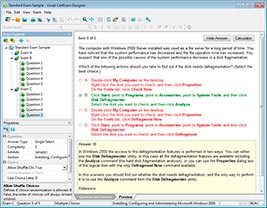
HOW TO OPEN VCE FILES
Use VCE Exam Simulator to open VCE files
HOW TO OPEN VCEX FILES
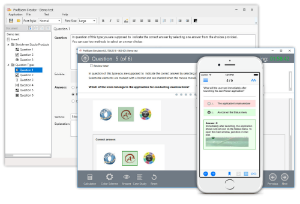
Use ProfExam Simulator to open VCEX files
ProfExam at a 20% markdown
You have the opportunity to purchase ProfExam at a 20% reduced price
Get Now!